cloud-sftp-hero2-animated

SFTP as a Service

Cloud SFTP and FTP made simple, secure, and scalable

Create secure SFTP endpoints for applications, automated workflows, and external file exchange. Connect directly to SharePoint, Amazon S3, Google Drive, and 50+ other platforms, without managing a server.

Instant access • 14 day free trial • No card required

Trusted by teams worldwide for secure file transfers

BrewDog logo Inzata logo Jacuzzi logo Contrast logo Steve Madden logo Fundipedia logo Natural History Museum logo Breville logo Veeva logo Options Technology logo BrewDog logo Inzata logo Jacuzzi logo Contrast logo Steve Madden logo Fundipedia logo Natural History Museum logo Breville logo Veeva logo Options Technology logo BrewDog logo Inzata logo Jacuzzi logo Contrast logo Steve Madden logo Fundipedia logo Natural History Museum logo Breville logo Veeva logo Options Technology logo

The modern alternative to FTP and SFTP servers
sftp-to-sharepoint-animated

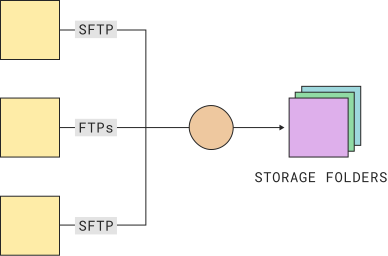
Create hosted SFTP endpoints for external file exchange

Give customers, trading partners, and automated systems secure SFTP access to exchange files with your business. Manage users, permissions, and folder access from one central platform.

"Couchdrop is a fast and easy to integrate option for getting an SFTP solution up and running in a SOC 2 compliant environment. We were able to go from finding the tool to implementing in less than a week, with the majority of our proof of concept accomplished in 1 day."

g2-badge

Scott E.
- Chief Operating Officer

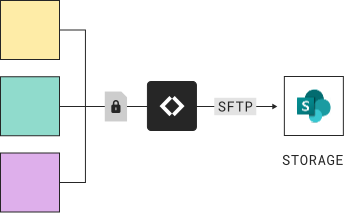
Add SFTP to SharePoint, S3, Google Drive, and more

Connect SFTP and FTP directly to SharePoint, Amazon S3, Google Drive, and 50+ other platforms. Files stream securely to your existing storage without Couchdrop taking custody of them.
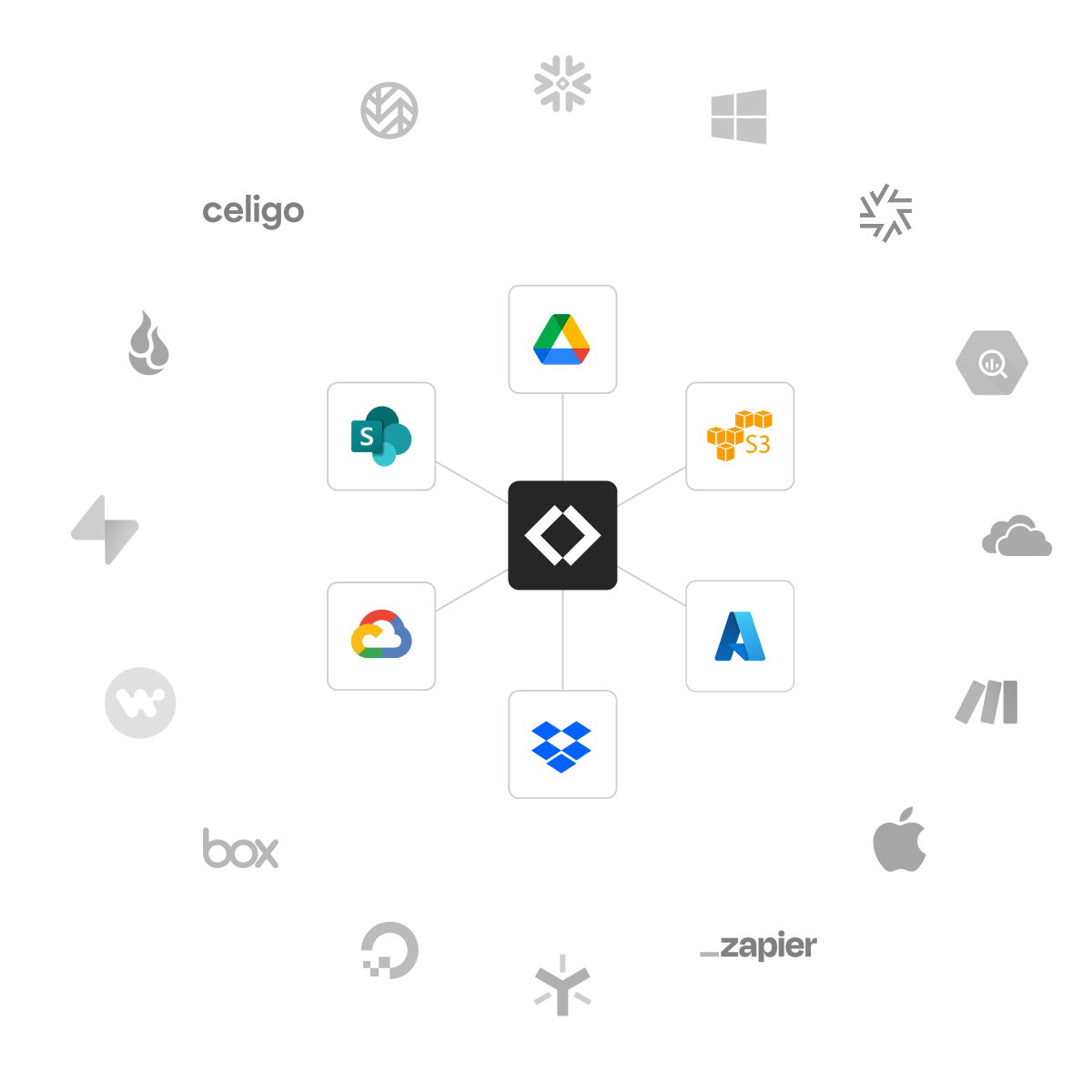
Couchdrop integrations
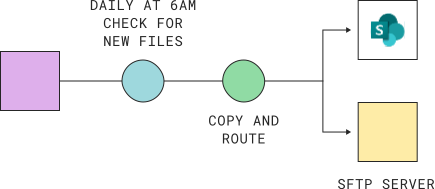
diagram showing scheduled transfer of files to sftp server and sharepoint

Connect to remote SFTP servers and endpoints

Connect to external SFTP and FTP servers to send or retrieve files. Run transfers on demand or automate them using schedules and triggers.

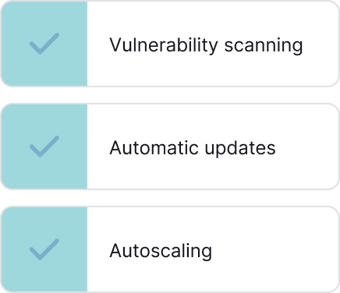
SFTP with updates, patching, and autoscaling built in

Couchdrop handles the infrastructure, security updates, and scaling so you don't have to. Deploy and manage SFTP connections through a simple web interface, without installing or maintaining servers.

"Couchdrop keeps the process simple, reduces friction, and prevents our Operations or IT teams from having to step in and own the transfer process. It’s secure and controlled, but still easy enough for non-technical staff to use every day."

g2-badge

Shereen K.
Senior Business Analyst

MFT-zero-infrastructure
G2 easiest to do business with award - spring 2025 G2 best support award - spring 2025

“Couchdrop is very easy to setup and maintain. The solution just works. Once you hooked up your cloud storage and mounted it to an endpoint, all you need to do is give access to your SFTP users within the interface. That's it. You're done.”

4.9 on G2

Verified User in Financial Services – G2 Review

Features

Built for teams that need a modern way to exchange files over SFTP
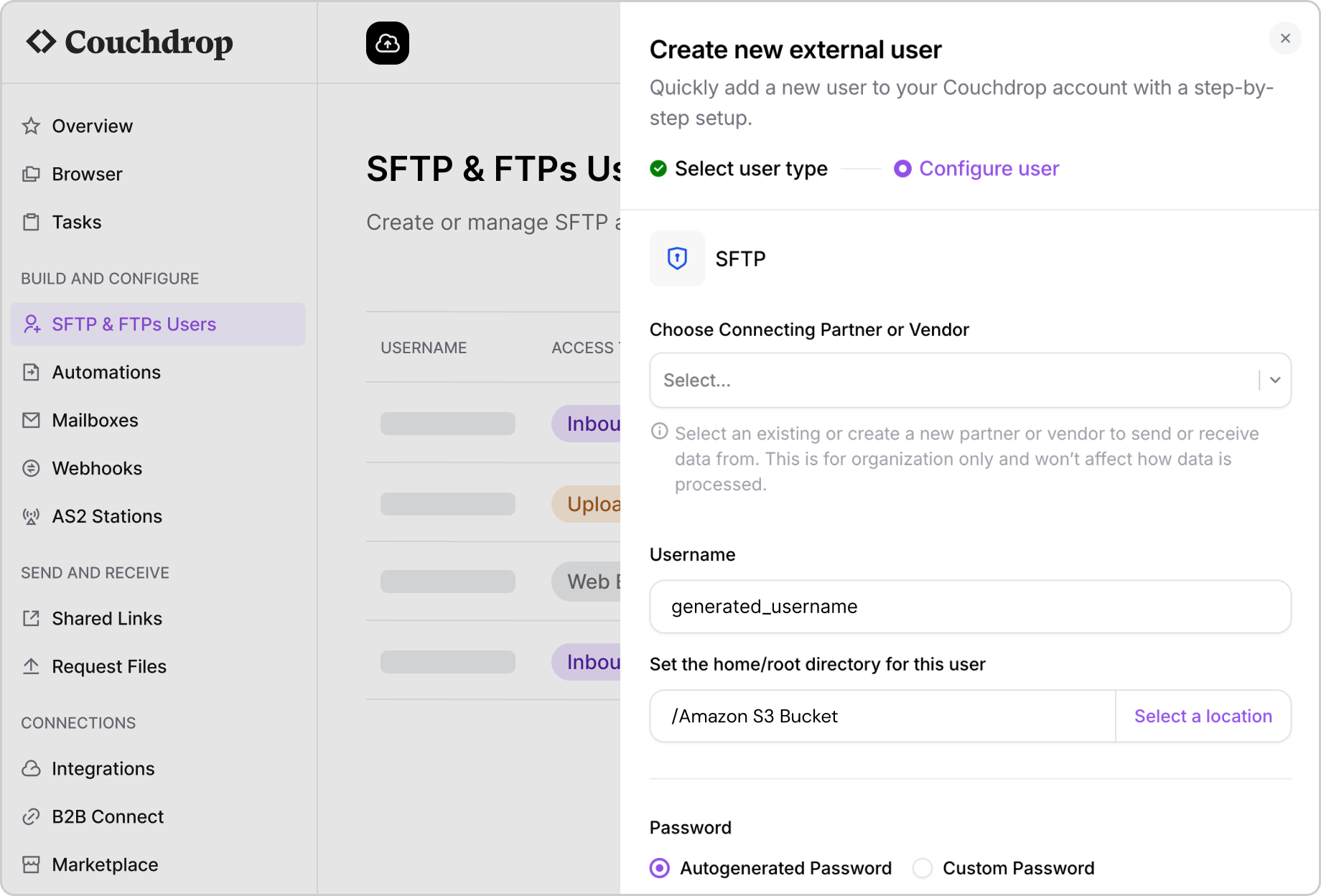
Configuring a new SFTP user
Easy user generation and management
Create SFTP and FTP users, manage their access, and share credentials directly from Couchdrop.
Granular feature and access controls
Control who can upload, download, and access files with permissions at the user, folder, and account level.
Hosted SFTP/FTP storage included
Use Couchdrop's hosted storage or connect your own cloud storage. Both options are available on all plans.
SSO, MFA, & Key-based authentication
Secure access with SSH keys, MFA, SSO, and custom password policies, with SCIM support for user provisioning.
Detailed logging and reporting
Track user activity and file transfers with detailed audit logs, and forward events to your SIEM platform.
Web-based SFTP/FTP file browser
Let external users upload and download files through a web browser, without installing an SFTP client.

Secure file transfers, without the complexity

Protect sensitive files with encryption, built-in security controls, and independently audited infrastructure. Couchdrop handles the underlying SFTP service, so your team doesn't have to.

Vanta_Compliance_SOC_2 Vanta_Compliance_HIPAA Vanta_Compliance_GDPR

Encrypted file transfers

Protect files in transit using SFTP and HTTPS, keeping sensitive information secure as it moves between systems.

Continuous threat monitoring

Automated vulnerability scanning, behavioural monitoring, and intrusion detection help identify security threats.

Data residency and compliance

Choose where files are stored, with regional storage options and support for GDPR and HIPAA requirements.

Your files stay in your storage

Connect your own cloud storage and stream files directly, without Couchdrop permanently storing their contents.

Independent security audits

Annual SOC 2 Type II audits and independent penetration testing provide assurance that security controls are assessed.

No SFTP server to manage

Couchdrop handles server maintenance, security patches, and infrastructure updates so your team doesn't have to.

Frequently asked questions

What is a cloud SFTP?
Cloud SFTP lets businesses securely send and receive files without running their own SFTP server. Couchdrop provides the managed SFTP endpoint, so you can exchange files with customers, suppliers, and other systems.
Can I connect SFTP to cloud storage?
Yes. Couchdrop connects directly to SharePoint, Google Drive, Amazon S3, and 50+ other platforms, letting you exchange files over SFTP without moving them into a separate storage system.
Does Couchdrop store my files?
When you connect your own storage, Couchdrop streams files between the SFTP endpoint and your storage without permanently retaining their contents. You can also use Couchdrop's hosted storage if preferred.
Can I replace my existing SFTP server with Couchdrop?
Yes. Couchdrop provides managed SFTP endpoints that eliminate the need to host and maintain your own server. You can configure users, permissions, and storage connections through its web interface.
Can Couchdrop connect to another company's SFTP server?
Yes. Couchdrop can connect to external SFTP and FTP servers to send or retrieve files, either on demand or automatically using schedules and triggers.
Which SFTP clients work with Couchdrop?
Couchdrop supports standard SFTP connections, allowing customers and partners to use compatible SFTP clients and automated systems. Users can authenticate using supported methods, including SSH keys.
How quickly can I get started?
You can start a 14-day free trial without a credit card or software installation. Create your SFTP endpoint, connect storage, and add users through the Couchdrop web interface.

Get started with cloud SFTP in minutes

Create secure SFTP endpoints, connect your existing storage, and start exchanging files without managing a server.